|
DialogBox |
Scroll Previous Topic Top Next Topic More |
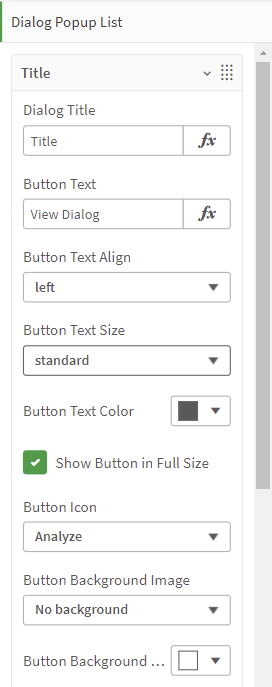
In order for the DialogBox extension to be displayed correctly, the following must be configured in the Dialog Popup List:
Title |
|
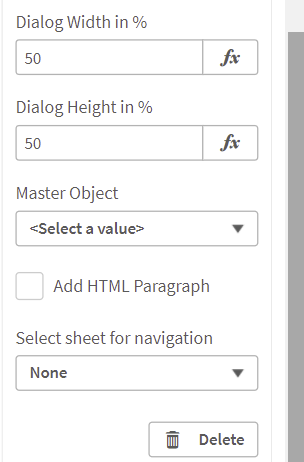
•"Dialog Title": The title is displayed in the header of the DialogBox •"Button Text": The text is displayed on the button that opens the DialogBox •"Button Text Align": The Positioning of the button text. The default values are left, right and center •"Button Text Size": The size of the button text. The possible values are standard, medium and large. •"Button Text Color": The color of the button text. •"Show Button in Full Size": Select the checkbox if you want to display the button in fully size. •"Button Icon": Select the button icon from a variety of predefined symbols. •"Button Background Image": Choose the background image of the button. •"Button Background Color": •"Dialog Width in %": Set the dialog width. •"Dialog Height in %": Set the dialog height. •"Master Object": Select the master object that should be shown in the DialogBox •"Add html Paragraph": Choose whether you want to add an HTML paragraph. When you do, it appears in the pop-up window •"Select sheet for navigation": If you select a sheet, a button will appear at the bottom of the DialogBox. By clicking the button you are redirected to the selected sheet. |
|
In addition to the settings for the appearance of the DialogBox in the popup list, the layout of the extension can also be adjusted in the Appearance dialog:
General |
|
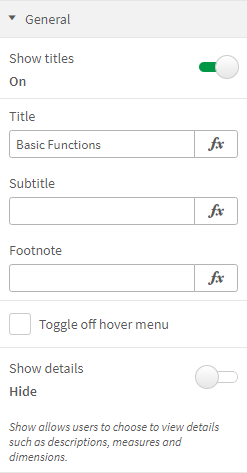
•"Show titles": Switch the button to "on" in order to display the title •"Title": Set the title of the DialogBox •"Subtite": Set a subtitle for the DialogBox •"Footnote": Set a Footnote for the DialogBox •"Toggle off hover menu": Check this checkbox if you want don't want the "more" and "full screen" icons to appear when hovering over the extension •"Show details": Switch button to "on" in order to display detailed information such as measures and dimensions
|
 |
Alternate states |
|
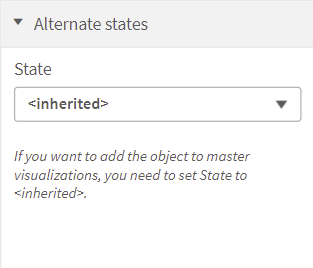
•"State": Set the state to "inherited" if you want to add the object to master visualizations |
 |
Dialog Settings |
|
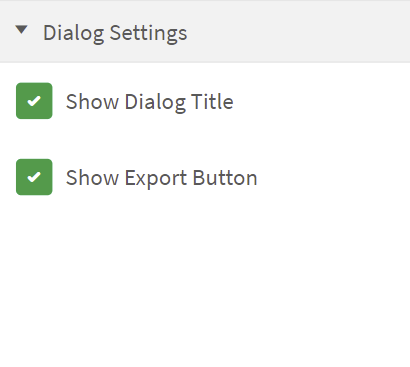
•"Show Dialog Title": When selected, the dialog title will be displayed •"Show Export Button": When selected, the export button will be displayed |
 |